

Xplog Get Xplog

Aircraft maintenance experience logbook

Your Part-66 logbook, filled from a photo of the card.

Take a picture of the task card, work card or tech log page. Xplog reads it, you check it, and the task is in your logbook. When it's time to sign, export a clean PDF and Excel.

Coming soon on the App Store and Google Play.

EASA Part-66GCAA CAR-66Handwriting readLogbook stays on your phone
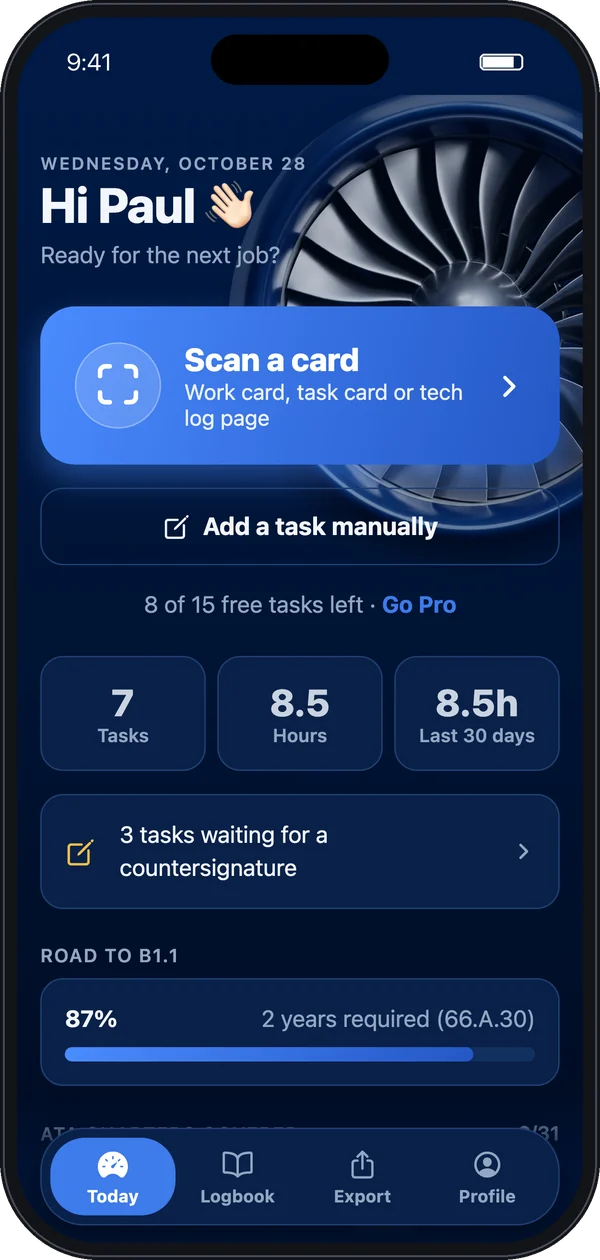
Xplog Today screen with the Scan a card button, task count and licence progress

How it works

Three steps after every job.

Thirty seconds at the end of the shift, instead of an evening rebuilding your logbook from memory.

1

Photograph the card

Choose the logbook (EASA, GCAA or both), then take the photo. A tech log page with several entries, a task card over two pages, a stamped work card: Xplog reads them together.

  • Up to 4 pages per scan
  • Printed text and handwriting
  • Airport code filled from your location
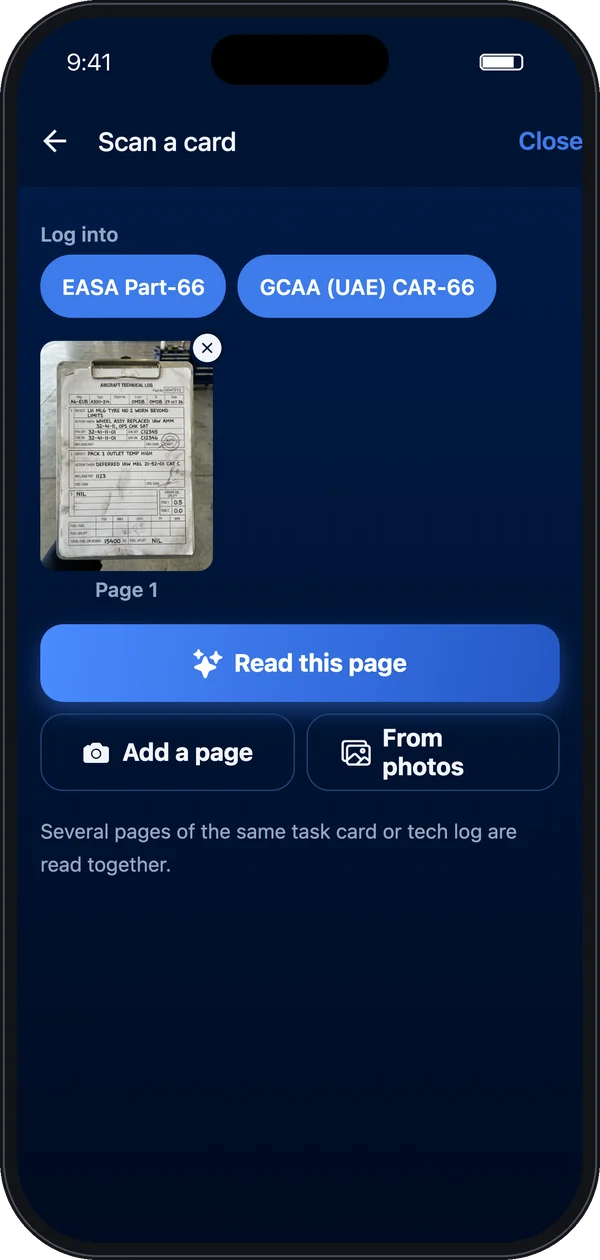
Scan screen with logbook choice and the page to read
2

Check what it found

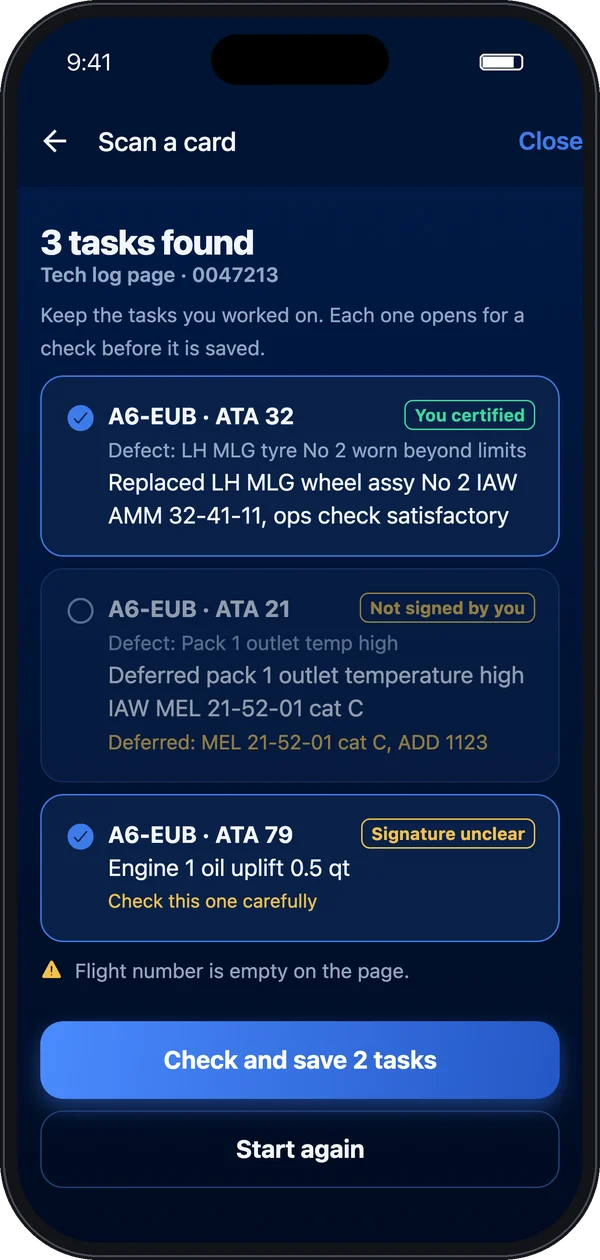
Each task comes back with registration, aircraft type, ATA chapter, task code and what was done. Xplog spots the lines you signed using your name and stamp numbers, and leaves out the ones you didn't.

  • Defects, MEL deferrals and parts kept in the remarks
  • Unclear fields flagged for a second look
  • Nothing is saved until you confirm
Scan results: three tasks found on a tech log page, one marked not signed by you
3

Export and get it signed

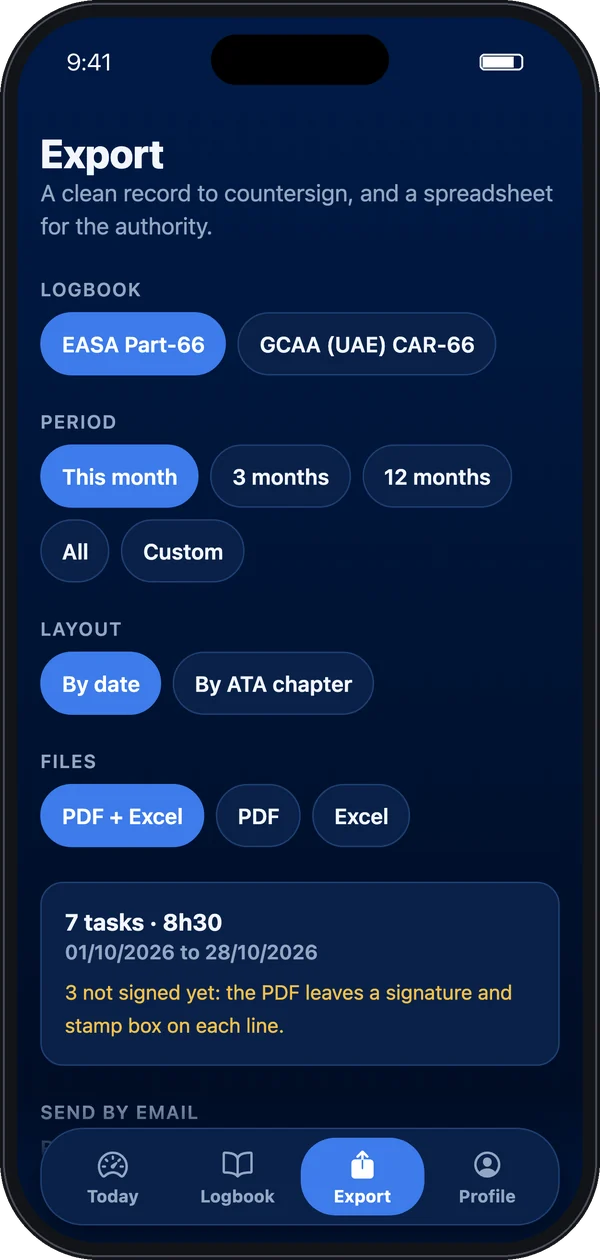
Pick the logbook and the period, sorted by date or by ATA chapter. You get a PDF with a supervisor column and a signature and stamp box on every line, plus an Excel file for the authority. Send both by email in one tap.

  • One file per authority when you hold two licences
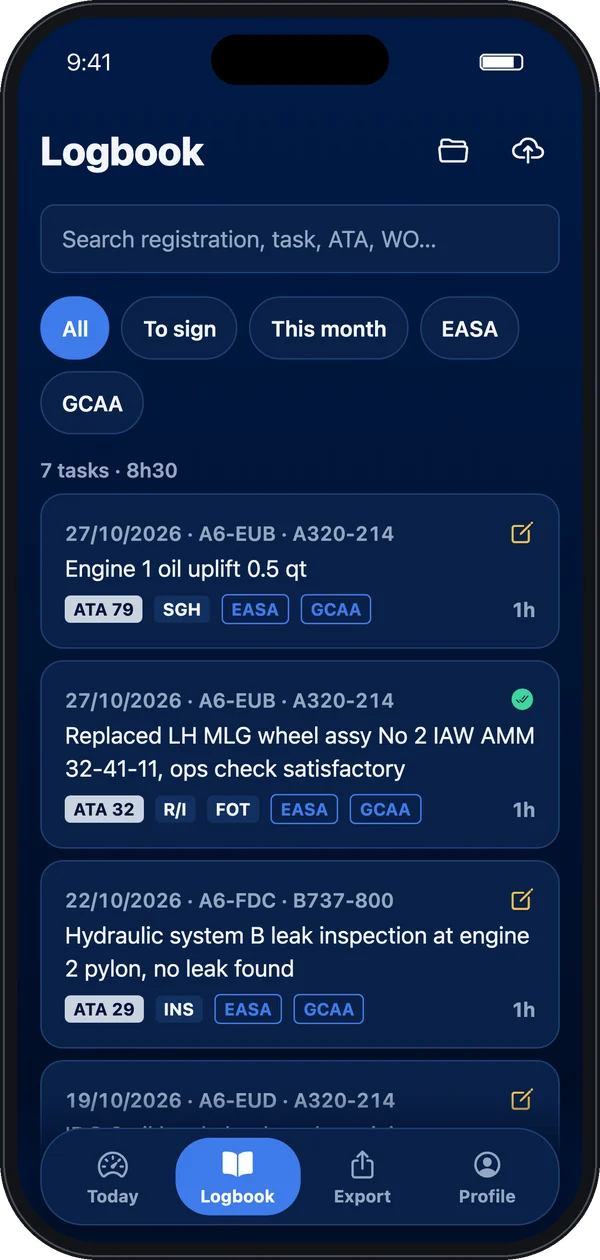
  • Tasks still to sign shown at a glance
  • Keep the signed copy in Xplog afterwards
Logbook list with filters and EASA and GCAA badgesExport screen with logbook, period, layout and file choices

Built on the regulations

The fields your authority expects.

Entries follow the experience record set out in EASA Part-66 (AMC 66.A.20) and GCAA CAR-66. Hold both licences? Log a task once and put it in either logbook, or both.

Recorded for every task

DateStationAircraft typeRegistrationATA chapterTask code (INS, FOT, SGH, R/I, TS, MEL, MOD, REP)Role: performed, supervised, releasedLine or baseDurationCard or tech log referenceLicence category

Licence progress

Set your target category and start date. Xplog shows how far you are against the 66.A.30 experience years and which ATA chapters you still need.

Profile filled once

Name, licence numbers, employer, authorisation and stamp numbers. They appear on every export and help the scan find your sign-offs.

Manual entry too

No card to hand? Add a task by hand, or copy a similar one and change what differs.

Bring your history

Your old logbook comes with you.

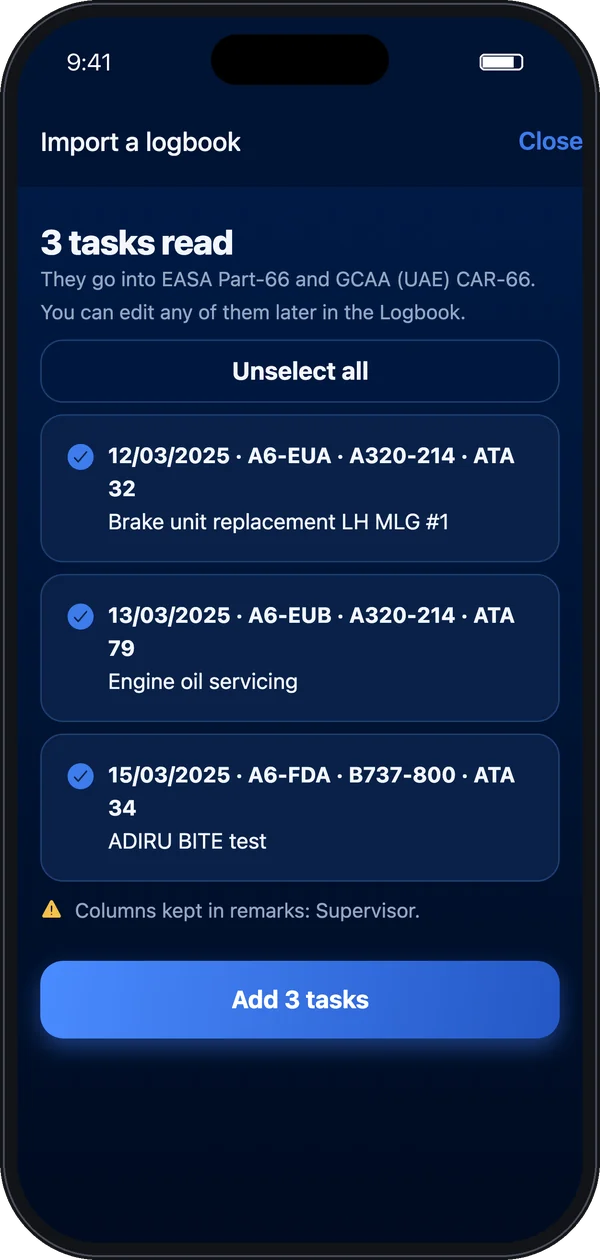
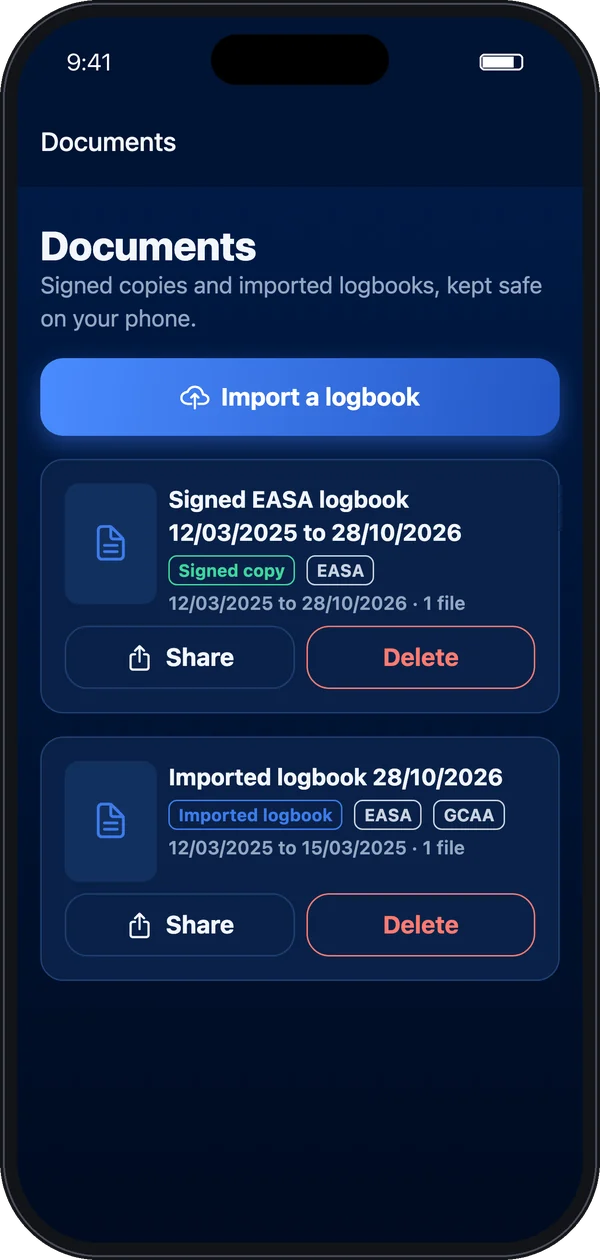
Import photos of a paper logbook, a PDF, or the Excel or CSV export from another app. Xplog adds the tasks it reads, or simply files the document so you can find it later. Imported tasks never count against your free tasks.

  • Signed pages archived in Documents
  • Share or forward a copy whenever you are asked
  • No more lost binders
Import review: three tasks read from an old logbookDocuments screen with a signed EASA logbook and an imported logbook

Privacy

Your logbook lives on your phone.

No account to create and no database of your tasks on our side. Work cards often carry company information, so we built Xplog to keep as little as possible.

Stored on the device

Tasks, photos and exports stay on your phone and in your own iCloud or Google backup.

Scans not kept

Photos go to our server only to be read by the AI, then the fields come back to you. Our server keeps no copy. The AI provider does not train on them.

Your choice

AI reading asks for your consent first and can be turned off in Profile. Location is matched to an airport on the phone and never leaves it.

Read the privacy policy

Pricing

Try it on real jobs first.

€4.99 / month

AED 19.99 in the UAE. Local price elsewhere.

  • Your first 15 tasks are free, no card needed
  • Then unlimited tasks, scans and exports
  • EASA and GCAA logbooks in one app
  • Cancel any time in your App Store or Google Play settings

Coming soon on the App Store and Google Play

Your tasks stay readable and exportable if you stop paying.

FAQ

Questions engineers ask.

Will my authority accept it?

Xplog records the information Part-66 and CAR-66 ask for and prints it in a format ready for countersignature. Whether a given record is accepted is up to your authority and your organisation's procedures, so check with your quality department.

What can it read?

Task cards, work cards, job cards and tech log pages, printed or handwritten, up to 4 pages per scan. If a field is unclear, Xplog tells you so you can check it before saving.

What if the scan gets something wrong?

Every task opens for checking before it is saved, and you can edit it later in the Logbook.

I hold an EASA and a GCAA licence.

Add both in your profile. When you scan or add a task, choose EASA, GCAA or both. Exports are made per authority.

What happens if I change phone?

Your logbook comes back with your phone's backup. Your subscription comes back with Restore purchases in Profile. Export regularly as well.

Does it work offline?

Logging by hand, the logbook and exports work offline. Reading a card needs a connection.